Public Digital Twin Security ConsiderationsWhen making a Digital Twin publicly accessible (without user authentication), you must take the following precautions:
Credit Management
Set the Digital Twin to “Do Not Pool Credits” to prevent shared credit exploitation
Configure a reasonable credit allocation (e.g., 50 credits) for new guest registrations
Enable the Guest UI mode for anonymous access
Disable Use Location to prevent unwanted pop-ups
Access Control
Add your domain (e.g., https://your-domain.com) to the list of Authorized Public URLs
Only domains in this whitelist will be able to embed and access the Digital Twin
Tool Restrictions
Disable tools that could be exploited: call_rest, send_email, call_canvas, save_to_file, etc.
This reduces token usage and prevents malicious use of system capabilities
Prompt Engineering
Carefully craft your system prompt to keep conversations on-topic
Include guardrails to prevent users from repurposing the Digital Twin for unrelated queries
Public-facing Digital Twins are inherently more vulnerable to abuse. Users may attempt to exploit the credit system or use the AI for purposes beyond its intended scope.
This example demonstrates using the PriaIntegration class from pria-sdk-web.js for a streamlined integration:
// Load SDK with PriaIntegration helper classPriaIntegration.loadSdk(baseUrl, displayOptions, instanceConfig, userConfig);// Wait for SDK to be readyconst timer = setInterval(() => { if (window.pria && window.pria.isReady && window.pria.isReady()) { clearInterval(timer); // SDK is ready - user can interact with the button }}, 100);// Clean terminationPriaIntegration.destroySdk();
Best for: Quick integrations where you want the Digital Twin button to appear and let users click to start conversations naturally.
The displayOptions object controls the display and behavior of your digital twin on screen.
let displayOptions = { fullScreen: false, // Expand in full screen mode openOnLoad: false, // Open Pria immediately when loaded buttonWidth: '80px', // Size of the Pria logo button buttonPosition: 'fixed', // Button position type (fixed, relative, sticky) buttonPositionRight: '20px', // Distance from right edge buttonPositionBottom: '20px', // Distance from bottom edge buttonNoBounce: true, // Disable button bounce animation priaContainerId: '', // Container ID for Pria window (default: BODY) buttonContainerId: '', // Container ID for button (default: BODY) allowPop: false, // Allow popping out of containing iframe noUI: false, // Disable UI for headless operation convoMode: false // Auto-start convo (voice) mode when ready}
Set noUI: true to use Pria programmatically without the visual interface
Adjust buttonPositionRight with CSS for positioning, e.g., calc(50% - 40px) for center alignment.
The convoMode display option lets you auto-start real-time voice (speech-to-speech) mode as soon as the Digital Twin determines that voice is available for the current user. This is useful when you want your application to launch directly into a voice experience without requiring the user to navigate through the text interface first.How it works: After the user authenticates, the SDK receives a convo.ready event from the Digital Twin indicating whether real-time voice is authorized. When convoMode is enabled, the SDK automatically sends a convo.start command and opens the UI panel.Values:
Value
Behavior
false (default)
No auto-start. Voice mode must be started manually.
true
Auto-start voice mode with the default assistant in a new conversation.
{ conversationId, conversationName, assistantId }
Auto-start voice mode targeting a specific conversation and/or assistant. All fields are optional.
Simple auto-start:
let displayOptions = { convoMode: true, fullScreen: true, openOnLoad: true}
Targeted auto-start with a specific assistant and conversation:
let displayOptions = { convoMode: { conversationId: 123, // maps to course_id conversationName: 'Customer Onboarding', // maps to course_name assistantId: '6bec24be-4e86-4071-b90f-d588' // target assistant _id }, fullScreen: true, openOnLoad: true}
convoMode requires that real-time voice (convo) is enabled for the user’s institution. If voice is not authorized, the flag is silently ignored and the text interface loads normally.
The instanceConfig object configure which Digital Twin to use along with the picture rendered in the start button.
let instanceCconfig = { publicId: '41407647-248c-4f0e-a317-71fc151ba8fb' // Public ID identifying your Digital Twin pictureUrl: 'https://cdn.domain.com/pics/dt_1.png', // Picture to use for the on-screen icon if your Digital Twin};
The publicId identifies your digital twin instance
Load these values securely and asynchronously—never expose sensitive data in your HTML.
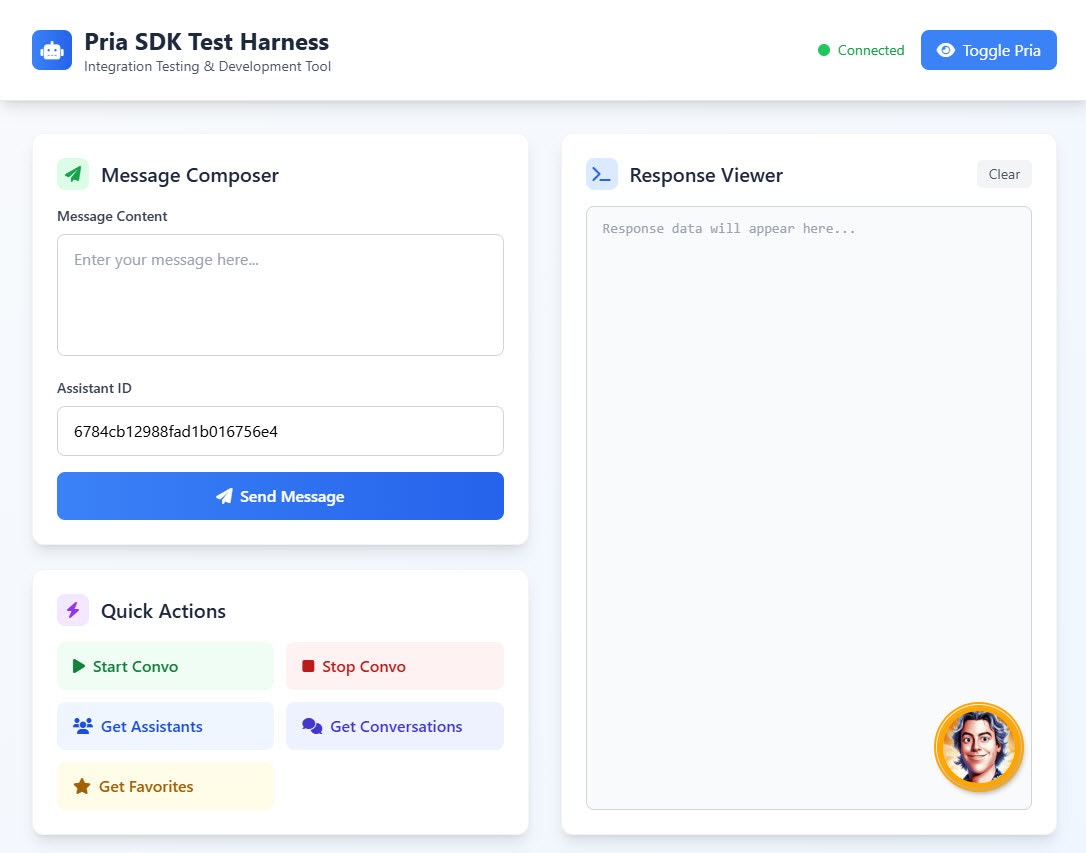
This example is provided AS IS to demonstrate how you can cleanly integrate a Digital Twin in your Web Application. It is extracted from the playground example code.
/** * Javascript Class integration example * Demonstrates modern patterns for Pria SDK integration */class PriaTestHarness { constructor() { this.pria = null; this.waitForPriaTimer = null; this.isConnected = false; this.conversationMode = 'existing'; // 'existing' or 'new' this.assistantsCache = []; // Cache assistants for lookup // Configuration this.config = { displayOptions: { buttonPositionRight: 'calc(50% - 40px)', buttonPositionBottom: '80px' }, instanceConfig: { publicId: 'f831501f-b645-481a-9cbb-331509aaf8c1', pictureUrl: 'https://cdn.domain.com/pics/dt_1.png' }, userConfig: { email: 'john@doe.com', profilename: 'John Doe', usertype: 1, userid: 110, roleid: 123, rolename: "Course ABC", partnerid: 1, partnername: "ABC Global Inc." }, localhost: true }; this.init(); } /** * Initialize the application */ async init() { try { await this.loadPriaSDK(); } catch (error) { console.error('Failed to initialize application:', error); } } /** * Load the Pria SDK */ loadPriaSDK() { return new Promise((resolve, reject) => { const script = document.createElement('script'); script.src = 'pria-sdk-web.js'; script.async = true; script.onload = () => { console.log('Web SDK Script loaded'); const url = 'https://pria.praxislxp.com'; PriaIntegration.loadSdk( url, this.config.displayOptions, this.config.instanceConfig, this.config.userConfig ); this.waitForPriaTimer = setInterval(() => this.waitForPria(), 1000); resolve(); }; script.onerror = (error) => { console.error('Failed to load Web SDK:', error); reject(new Error('Web SDK loading failed')); }; document.body.appendChild(script); }); } /** * Wait for Pria to be available and set up subscriptions */ waitForPria() { // Use isReady() to check if Pria is fully initialized if (!window.pria?.isReady()) { console.log("Waiting for Pria to load..."); return; } clearInterval(this.waitForPriaTimer); this.pria = window.pria; this.isConnected = true; // Subscribe to Pria responses this.pria.subscribe(this.handlePriaResponse.bind(this)); // Load assistants and conversations on connection this.loadAssistants(); this.loadConversations(); // Clean up on page unload window.addEventListener('beforeunload', () => { this.pria.unsubscribe(this.handlePriaResponse); this.pria.destroy(); // Clean up Pria resources }); } /** * Handle responses from Pria */ handlePriaResponse(response) { const command = response?.response?.command; const content = response?.response?.content; if (response.type === 'pria-response') { console.log("Processing command:", command); // Handle convo.start success - show UI if (command === 'convo.start') { this.showPria(); } else if (command === 'assistants.list' && content) { this.assistantsCache = content; console.log("Assistants loaded:", content.length); } else if (command === 'conversations.list' && content) { console.log("Conversations loaded:", content.length); } } else if (response.type === 'pria-error') { console.error("Pria error:", content); } } /** * Start a conversation */ startConversation(assistantId, conversationId, conversationName) { if (!this.isConnected) return; let request = { command: 'convo.start' }; if (assistantId) { request.assistantId = assistantId; } if (conversationId && conversationName) { request.selectedCourse = { course_id: conversationId, course_name: conversationName }; } this.pria.send(request); } /** * Load assistants list */ loadAssistants() { if (!this.isConnected) return; this.pria.send({ command: 'assistants.list' }); } /** * Load conversations list */ loadConversations() { if (!this.isConnected) return; this.pria.send({ command: 'conversations.list' }); } /** * Toggle Pria visibility (show/hide entirely) */ togglePriaVisibility(visible) { if (!this.isConnected) return; this.pria.setVisible(visible); } /** * Toggle Pria panel display (expand/collapse) */ togglePriaDisplay() { if (!this.isConnected) return; // Use SDK's isDisplayed() to check current state const isCurrentlyDisplayed = this.pria.isDisplayed(); this.pria.display(!isCurrentlyDisplayed); } /** * Show Pria interface */ showPria() { if (!this.pria) return; // Check if UI is already shown using SDK's isDisplayed() if (!this.pria.isDisplayed()) { this.pria.display(true); } }}// Initialize the application when DOM is loadeddocument.addEventListener('DOMContentLoaded', () => { new PriaTestHarness();});
When you need to remove Pria or reload it with new configuration:
// Destroy SDK completely (removes all UI, event listeners, and references)PriaIntegration.destroySdk();// Reload with new or existing configurationPriaIntegration.reloadSdk( 'https://pria.praxislxp.com', displayOptions, instanceConfig, userConfig);
After calling destroy() or destroySdk(), all existing references to pria become invalid. The SDK must be fully reloaded before use.